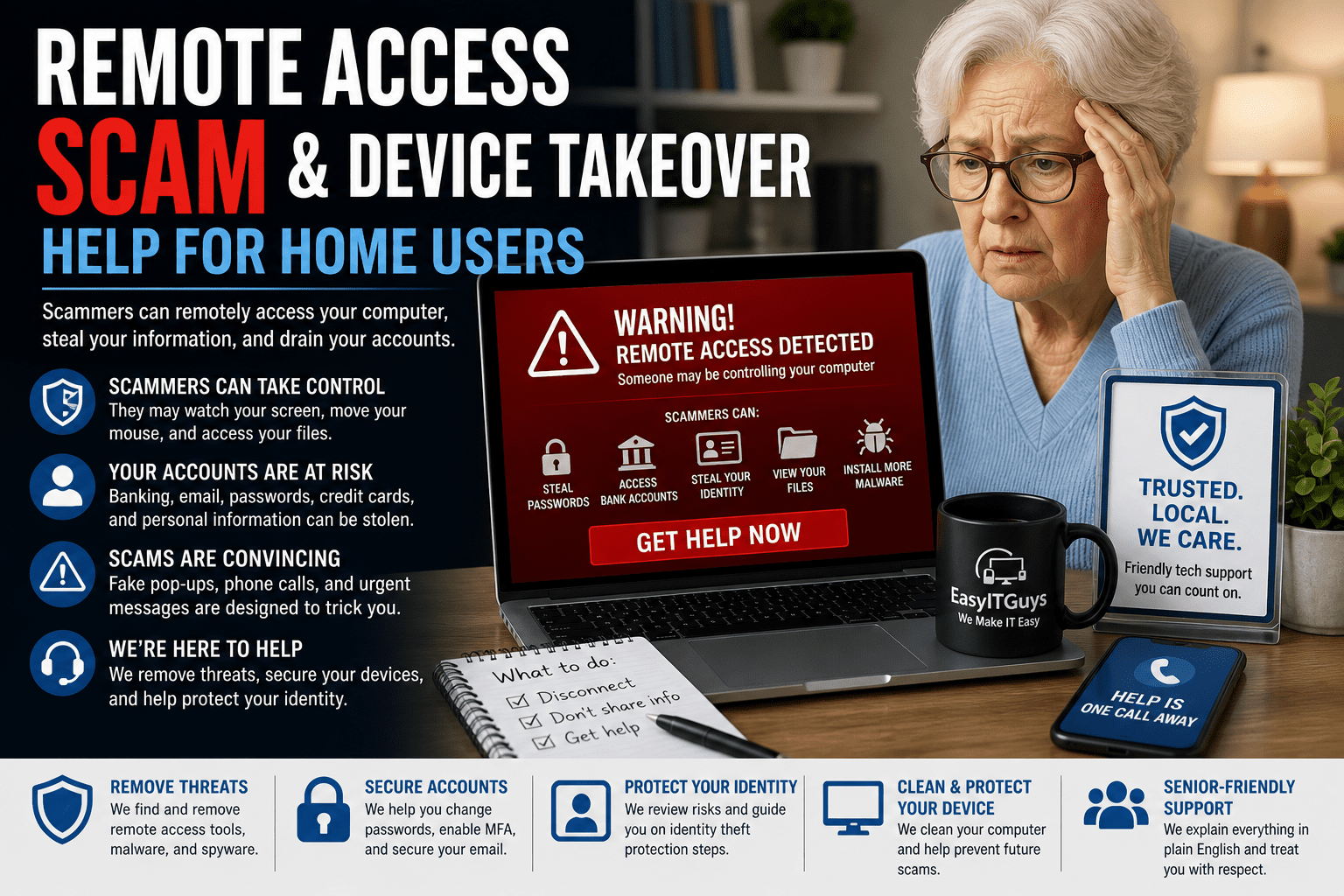
Did Someone Remotely Access Your Computer? Take It Seriously.
Remote access scams are scary because they feel personal.
- Someone may have called you.
- A warning may have popped up on your screen.
- You may have clicked a link.
- You may have downloaded a program.
- You may have allowed someone to “help” you.
- You may have seen your mouse moving.
- You may have watched someone open windows, files, or websites.
- You may have been told not to turn off your computer.
- You may have been told your bank, identity, or computer was at risk.
Or maybe nothing obvious happened.
- You clicked a link.
- A file downloaded.
- You opened it.
- Nothing appeared.
- You tried again.
- Still nothing happened.
- You moved on and hoped it was just a mistake.
But later, strange things started happening.
- Accounts were hacked.
- Credit cards had charges.
- Bank alerts appeared.
- Email acted strangely.
- Passwords stopped working.
- Friends received messages from you.
- Your computer slowed down.
- You saw popups, remote access programs, or signs of identity theft.
If a scammer or hacker remotely accessed your computer, it may affect much more than the device itself. It can affect your email, banking, credit cards, passwords, identity, tax documents, cloud files, family photos, saved logins, and personal information.
EasyITGuys helps home users, seniors, families, and individuals respond to remote access scams, device takeover, hacked computers, account compromise, identity theft risk, and long-term personal cybersecurity protection. If you suspect you’ve fallen victim to a remote access scam, it’s important to seek immediate remote access scam help.
Active Remote Access Scam?
If someone is controlling your computer right now, if a caller is telling you what to do, if your mouse is moving, or if something feels wrong, stop using the device for sensitive activity. Do not log into banking, email, credit cards, Social Security, Medicare, investment accounts, password managers, or tax accounts from that computer.
If you are already an EasyITGuys member, contact your support team. If you are not currently a member, schedule service or request help so we can guide you through the next steps.
What Is a Remote Access Scam?
A remote access scam happens when a scammer tricks you into giving them access to your computer, phone, tablet, or online account.
They may pretend to be from:
- Microsoft
- Apple
- Google
- Your internet provider
- Your bank
- Amazon
- PayPal
- Norton
- McAfee
- Geek Squad
- A printer company
- A software company
- A government agency
- A fraud department
- A delivery company
- A trusted business
- A family member or friend whose account was hacked
The scammer’s goal is usually to get access to your device, accounts, money, identity, or personal information.
Legitimate Remote Access Tools Can Be Used in Scams
Remote access tools are not automatically bad. Many real IT support companies use remote access software to safely help clients. These tools are like a hammer. A hammer can build something useful. It can also be used the wrong way.
Common remote access tools may include:
- AnyDesk
- TeamViewer
- ConnectWise Control or ScreenConnect
- Splashtop
- Chrome Remote Desktop
- RemotePC
- UltraVNC
- AnyViewer
- Other remote support programs
The problem is not always the software itself. The danger is when a scammer tricks you into installing it, approving access, or leaving it running without knowing who is really connected.
Common Remote Access Scam Scenarios
Fake Microsoft or Apple Support
- A pop-up says your computer is infected, locked, or unsafe.
- It may include a phone number.
- The scammer says they can fix the issue if you install a remote access tool.
Fake Bank or Fraud Department Call
- A caller says your bank account is under attack.
- They ask you to install software so they can “secure” your account.
- They may ask you to log into online banking while they watch.
Fake Internet Provider Call
- A caller claims your internet is infected, slow, or being used by hackers.
- They ask you to allow access so they can “repair” your modem, router, or computer.
Fake Refund Scam
- The scammer claims you are owed a refund.
- They ask you to install remote access software and log into your bank.
- They may edit what you see on screen to make it look like too much money was refunded.
- Then they pressure you to send money back.
Fake Invoice, Dropbox, or Document Download
- You receive a link to an invoice, Dropbox file, Google Drive file, OneDrive file, shipping document, or shared folder.
- You download something.
- Nothing happens.
- That “nothing happened” moment may still be a problem if the download launched a remote access tool or credential-stealing program.
Fake Software Update
- A website says your browser, PDF reader, printer, video player, or security software needs an update.
- You install it.
- The scammer may now have access.
Public Wi-Fi Scam
- You connect to Wi-Fi at an airport, coffee shop, hotel, medical office, or public place.
- The portal asks you to download something or sign into an account.
- It may be fake.
- This can lead to stolen passwords, phishing, or unsafe downloads.
Visible vs. Hidden Remote Access
Remote access scams do not always look the same.
Visible Remote Control
This is when you can see someone using your computer.
You may notice:
- The mouse moving by itself
- Windows opening
- Browser tabs changing
- A command window appearing
- Files opening
- Programs launching
- A remote support window
- A fake technician chat
- A fake Windows update screen
- A message saying not to shut down the computer
- Someone telling you not to touch the keyboard
Sometimes scammers hide what they are doing behind a fake update screen or fake repair screen.
It may say:
- “Do not turn off your computer.”
- “Updates are installing.”
- “Security repair in progress.”
- “System scan running.”
The screen may look real, but it may simply be covering the scammer’s activity.
Hidden or Passive Remote Access
This is when you may not see anything.
The scammer may quietly:
- Watch what you do
- Transfer files
- Steal passwords
- Capture browser sessions
- Install more software
- Access email
- Search documents
- Look for tax records
- Look for bank statements
- Monitor keystrokes
- Take screenshots
- Wait for a better time to attack
This is why “I clicked it, but nothing happened” still matters. If something felt wrong, get it checked.
What a Scammer May Be Able to Access
If a scammer remotely accessed your computer while you were logged in, they may have been able to access:
- Saved browser passwords
- Saved credit cards
- Email
- Banking websites
- Investment accounts
- Retirement accounts
- Social Security accounts
- Medicare accounts
- Tax software
- Tax documents
- Driver’s license files
- Social Security number documents
- Loan documents
- Mortgage documents
- Insurance documents
- Password lists
- Photos of IDs
- Cloud storage
- OneDrive
- Google Drive
- Dropbox
- iCloud
- Outlook
- Gmail
- Yahoo Mail
- Personal files
- Family documents
- Business files if you use the same computer for work
- Password manager sessions
- Websites where you chose “remember me”
If the computer was trusted by your accounts, the scammer may have been able to use that trust.
MFA Helps, But It Does Not Make You Invincible
Multi-factor authentication, or MFA, is very important. It helps protect accounts. But MFA is not perfect if a scammer has access to your device.
Many websites allow you to choose:
- “Remember this device.”
- “Do not ask again for 30 days.”
- “Stay signed in.”
Those settings can save a trusted session in your browser. If a scammer steals that saved session, they may sometimes access an account without needing your password or a new MFA code.
So… MFA is still good, but a compromised device can sometimes give scammers a shortcut. That is why the computer itself needs to be checked, not just the password.
What To Do Right Now If a Scammer Accessed Your Computer
These are general steps and may not fit every situation.
1. Stop using the computer for sensitive activity
Do not use the suspected device for:
- Banking
- Credit cards
- Email
- Password resets
- Social Security
- Medicare
- Investments
- Tax accounts
- Password managers
- Shopping accounts
- Identity protection accounts
Use a different trusted device if you need to access important accounts.
2. Disconnect the computer if the scammer may still be connected
- If you see active remote control or believe someone is connected, disconnect from the internet if safe.
- You can unplug the network cable or turn off Wi-Fi.
- In some cases, shutting the computer down may be appropriate to stop active access.
3. Do not keep talking to the scammer
- Hang up.
- Do not call the number on the popup.
- Do not let them pressure you.
- Do not give them codes, passwords, gift cards, bank information, or remote access again.
4. Do not delete everything right away
- Do not immediately wipe the computer.
- Do not delete remote access tools before documenting what was installed.
- Do not delete suspicious emails or files without guidance.
- Evidence may help determine what happened.
5. Write down what happened
Create a simple timeline.
Include:
- Date and time
- Who called or what appeared
- What number was shown
- What website you visited
- What you clicked
- What program was installed
- Whether they saw your screen
- Whether they moved the mouse
- Whether you logged into banking
- Whether you entered passwords
- Whether you gave any codes
- Whether money was sent
- Whether gift cards were purchased
- Whether accounts changed afterward
6. Change passwords from a clean device
Use a trusted device to change important passwords.
Start with:
- Email
- Banking
- Credit cards
- Password manager
- Amazon
- PayPal
- Apple ID
- Google account
- Microsoft account
- Social Security
- Medicare
- Tax accounts
- Investment accounts
- Cell phone provider
- Any account where the same password was reused
7. Review MFA and recovery settings
Check whether the scammer added:
- A new phone number
- A new recovery email
- A new authenticator app
- A new trusted device
- A new forwarding rule
- A new connected app
8. Contact your bank or credit card company if money may be involved
If you logged into banking, sent money, bought gift cards, shared card details, or saw suspicious charges, contact your bank or credit card company immediately. Ask about fraud steps, account review, card replacement, and transaction disputes.
9. Watch for identity theft
Depending on what was accessed, you may need to consider:
- Credit monitoring
- Fraud alerts
- Credit freezes
- New credit cards
- New bank accounts
- Identity protection
- Password resets
- Account recovery
- Tax identity protection steps
- Review of Social Security and Medicare accounts
10. Get the computer checked professionally
A remote access scam can go deeper than one bad program. The device may need to be reviewed for remote access tools, suspicious software, browser compromise, saved sessions, malware, and signs of continued access.
Why “Just Remove the Program” May Not Be Enough
Removing AnyDesk, TeamViewer, ScreenConnect, or another remote access tool may be part of the cleanup. But it may not fix everything.
The scammer may have already stolen:
- Passwords
- Browser sessions
- MFA tokens
- Files
- Email contacts
- Bank information
- Credit card details
- Tax documents
- Identity documents
- Personal photos of IDs
- Password manager access
- Cloud file access
They may be able to continue from another device. That is why the response should include both the computer and the accounts connected to it.
Why Personal and Business Accounts Should Not Mix
Many people use the same computer for personal and business activity. That can make a remote access scam much worse.
A scammer may access both:
- Personal banking
- Business banking
- Personal email
- Business email
- Personal tax records
- Business tax records
- Family documents
- Customer records
- Work files
- Employer systems
- Cloud storage
- Password manager accounts
This is one reason EasyITGuys encourages safer habits, better account separation, password managers, MFA, managed security tools, and professional support.
Remote Access Scams Often Target Seniors and Less Technical Users
Scammers often target people who may be more trusting, less technical, or more likely to answer phone calls. This includes many older adults and seniors. That does not mean the victim did something wrong. These scams are designed to be convincing. Scammers use fear, urgency, authority, and confusion.
They may say:
- “Your computer is infected.”
- “Your bank account is being hacked.”
- “Your identity is at risk.”
- “Do not tell anyone.”
- “Do not hang up.”
- “Do not shut down the computer.”
- “You will lose your money.”
- “We are from Microsoft.”
- “We are from your bank.”
- “We are from your internet provider.”
A good response is not blame. A good response is fast action, careful cleanup, account protection, and better prevention going forward.
How EasyITGuys Helps With Remote Access Scam Recovery
EasyITGuys helps home users and families respond to remote access scams with patience, care, and practical guidance.
Depending on the situation, we can help with:
- Initial scam review
- Computer safety check
- Remote access tool review
- Suspicious software review
- Account security guidance
- Password reset planning
- MFA review
- Email security review
- Browser security review
- Cloud account review
- Identity theft risk discussion
- Bank and credit card safety checklist
- Device cleanup or reset guidance
- Backup and file protection guidance
- Security software recommendations
- Password manager setup
- Ongoing home tech support
- Senior-friendly cybersecurity education
- Long-term identity and cybersecurity protection planning
Our goal is to help you understand what happened, reduce risk, and feel safer using your technology again.
When You May Need to Rebuild Your Digital Life
Some remote access scams are minor. Others are serious. If the scammer had deep access, you may need a larger recovery plan.
That may include:
- Replacing credit cards
- Opening new bank accounts
- Changing many passwords
- Rebuilding MFA
- Reviewing email forwarding rules
- Reviewing recovery emails and phone numbers
- Freezing credit
- Monitoring identity
- Reviewing tax accounts
- Reviewing Social Security and Medicare accounts
- Checking cloud storage
- Replacing or resetting the computer
- Separating personal and business accounts
- Setting up better protection going forward
This can be a lot of work. You do not have to figure it out alone.
How to Reduce the Risk of Another Remote Access Scam
Prevention may include:
- Never calling numbers from scary popups
- Never letting unknown callers access your computer
- Verifying support requests
- Using a trusted IT support provider
- Using MFA
- Using a password manager
- Avoiding password reuse
- Keeping devices updated
- Using strong security software
- Avoiding suspicious public Wi-Fi
- Using a VPN when appropriate
- Reviewing installed remote access tools
- Separating business and personal use
- Learning common scam warning signs
- Having a family technology safety plan
- Getting help before clicking links or downloading files
A small amount of prevention can prevent a very painful recovery. An ounce of prevention is worth a pound of cure.
Friendly Tech Help for Home Users and Seniors
EasyITGuys helps home users, seniors, and families with technology support and personal cybersecurity. We understand that a scam can feel embarrassing, overwhelming, and stressful. Our goal is to help without judgment. We help you slow down, understand what happened, protect your accounts, clean up the device, and make a safer plan for the future.
Ready for Remote Access Scam Help?
Scammer currently connected or recently accessed your computer?
Request help now. If you are an EasyITGuys member, contact your support team.
Not currently under attack, but worried about future scams?
Schedule a free meet and greet to discuss home tech support, personal cybersecurity, identity protection, password manager help, device protection, and safer online habits.
Related Resources
Use these related resources to continue learning and connect this page into your broader senior tech support and cybersecurity content.
Senior Cybersecurity and Scam Protection
Helpful Cybersecurity Articles
If This Happened at Work
FAQ
What should I do if a scammer remotely accessed my computer?
Stop using the computer for banking, email, password resets, or sensitive accounts. Disconnect it from the internet if someone may still be connected. Use a different trusted device to change important passwords, contact your bank if money may be involved, and get professional help checking the computer.
Should I shut down my computer if a scammer is controlling it?
If someone is actively controlling your computer, disconnecting from the internet or shutting it down may help stop active access. After that, contact a trusted IT or cybersecurity professional before using the computer again.
Are AnyDesk, TeamViewer, or ScreenConnect scams?
No. These are legitimate remote access tools that real IT teams may use. The risk is when a scammer tricks you into installing or approving access, or when remote access is left open without your knowledge.
Can a scammer steal passwords from my computer?
Yes. If a scammer had access to your computer, they may be able to access saved browser passwords, password manager sessions, saved logins, email, cloud files, and websites where you stayed signed in.
Can MFA protect me after a scammer accessed my computer?
MFA helps, but it does not solve everything. If a scammer steals saved browser sessions or trusted device tokens, they may sometimes access accounts without a new MFA prompt. Passwords, sessions, MFA methods, and recovery settings should be reviewed.
Should I delete the remote access program?
Do not rely on deletion alone. Removing the program may help, but the scammer may have already stolen passwords, files, email access, or saved sessions. It is best to have the device and accounts reviewed.
Should I call the phone number from a computer warning popup?
No. Do not call numbers shown in scary popups. They are often fake support scams. Use a trusted support provider or official contact method you already know is real.
Could this lead to identity theft?
Yes. If the scammer accessed tax documents, bank information, Social Security details, driver’s license files, email, cloud storage, or saved passwords, identity theft risk may need to be reviewed.
Can EasyITGuys help seniors after remote access scams?
Yes. EasyITGuys helps seniors, home users, and families respond to remote access scams, suspicious computer activity, hacked accounts, password issues, identity theft concerns, and personal cybersecurity needs.
Getting Started with EasyITGuys
Ready to experience the EasyITGuys difference? Whether you’re dealing with a frustrating tech problem or need proactive IT management, we’re here to help. Contact us today for:
- Managed IT support anywhere in the United States.
- Tech support and managed IT services tailored to your needs.
- Friendly, expert advice from a dedicated team you can trust.
For more information, view more pages on our website, chat with us, email us, or call us at (651) 400-8567. Let us show you how we Make IT Easy!